Skip to content
Geecon Global
Book a consultation (opens in a new tab)
Menu

Free Contentful appv0.2.3What's new

Document Manager

Keep downloadable files in libraries and folders, and manage the whole tree from one screen in Contentful.

content type for the whole tree
1
per file, uploaded many at once
50 MB
items per folder
1,000
folder levels in one Delivery API request
10

How it works

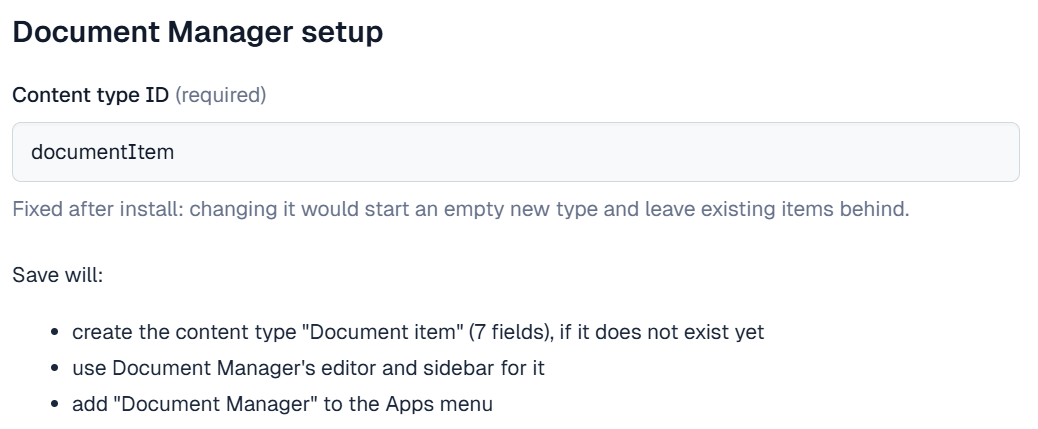
The Document Manager setup screen: content type ID documentItem and what Save will do.

Features

Give downloadable files a folder tree in Contentful that editors manage from one screen.

  • One screen for the whole tree

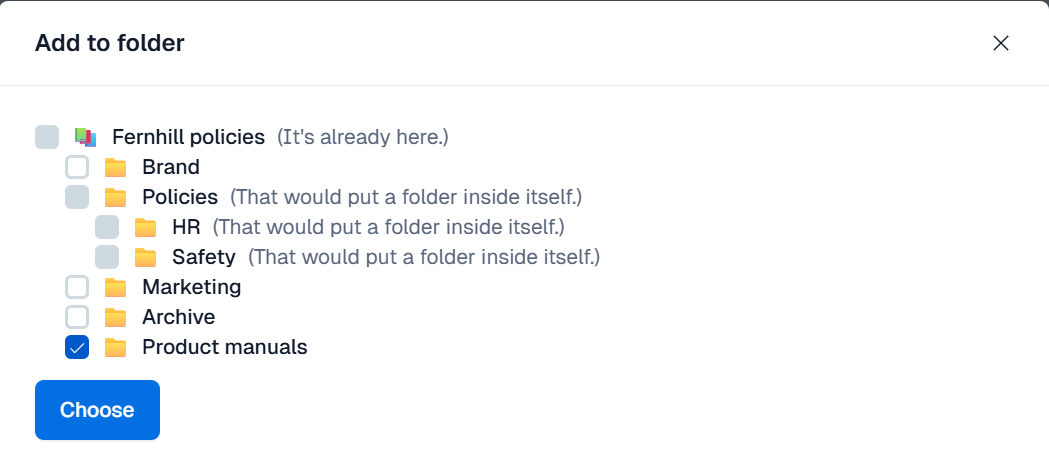
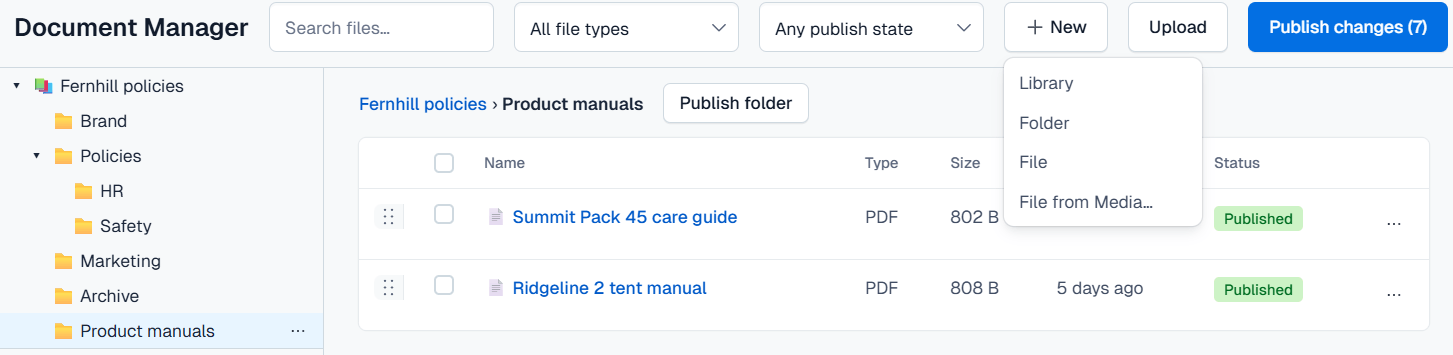
    A tree of libraries and folders on the left, the contents of the open folder on the right, and a details panel for the selected item.

    • Libraries
    • Folders
    • Files
    • Details panel
  • Bulk upload

    Pick many files at once and upload them into a folder. Each file becomes an asset and a file item, with per-file progress and failures listed.

    • Many files at once
    • Per-file progress
    • Failures listed
    • 50 MB per file
  • Publish changes together

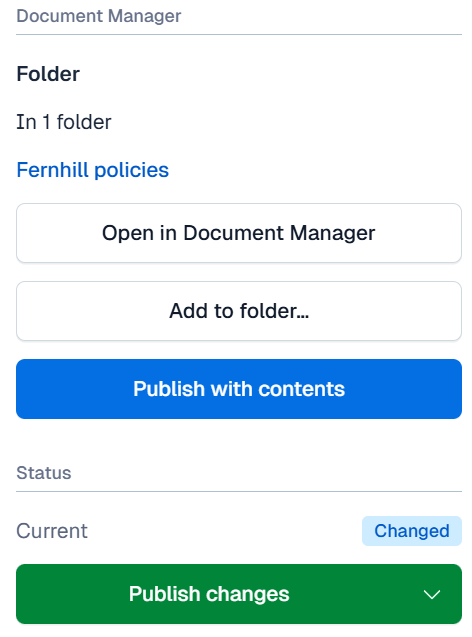
    Structural edits never publish by themselves. One button publishes every changed folder, so a move's two parents stay in step.

    • Publish changes
    • Publish with contents
  • Tree picker for reference fields

    Swap Contentful's reference picker for a tree picker on the fields you choose, so editors link files and folders by browsing.

    • Browse by folder
    • On the fields you choose

Built for

  • Resource hubs

    Guides, reports and templates grouped by topic.

  • Campaign packs

    Slides, posters and scripts for one campaign.

  • Policy libraries

    Documents that change over time.

  • Partner downloads

    One library per partner or audience.

A good fit

  • Resource hubs grouped by topic
  • Campaign packs of slides, posters and scripts
  • Policy libraries and partner downloads
  • Several libraries in one space
  • One file shown in several folders

Not a good fit

  • Rendering pages or file viewers on your site
  • Private or access-controlled files
  • Version history of a file
  • Image editing, transforms or rights management
  • Importing or migrating an existing document model
When to use Document Manager, with examples

For developers

Document Manager stores its data as documented JSON in ordinary Contentful entries. A sample Next.js project shows how to fetch and render it; this excerpt is from that project.

Read the developer docs
Content type: Document itemdocumentItem
titleShort text
The name, localised
kindShort text
library, folder or file
slugShort text
Unique, for website addresses
fileMedia
The file people download
itemsReferences
A library's or folder's contents, in order

Admins can add their own fields to every item.

examples/document-manager-next/src/lib/tree.ts (trimmed)
export function resolvePath(library: DocLibrary, slugs: string[]) {
  const trail: DocItem[] = [library];
  let item: DocItem = library;
  for (const slug of slugs) {
    const next: DocItem | undefined = item.kind === "file" ? undefined : item.items.find((i) => i.slug === slug);
    if (!next) return null;
    trail.push(next);
    item = next;
  }
  return { item, trail };
}

Questions

Something else? Book a consultation (opens in a new tab) and ask us.

What is Document Manager?

Document Manager is a Contentful app by Geecon Global. It gives editors a folder tree for downloadable files, where they upload, move, reorder, publish and delete files in one place.

Is Document Manager a document management system?

It covers the document management a website needs: a folder tree of downloadable files in Contentful. It isn't a full document management system: there's no version history, files are public by URL like every Contentful asset, and files aren't edited in the app.

Are the files private?

No. Contentful asset URLs are public. An "internal" label is only a label your website must respect.

Does it keep earlier versions of a file?

No. Uploading a new file replaces the old one. You can give each file a version label, such as v3.

Can one file sit in several folders?

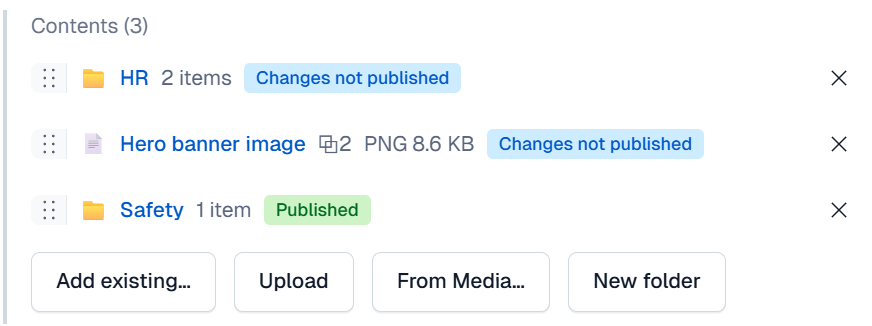
Yes, without copying it. A file in two folders has no main home, and moving or renaming never breaks existing references.

What are the limits?

50 MB per file and 1,000 items per folder. Contentful resolves 10 levels of links in one request, and above about 10,000 items the app warns that it may be slow.

What happens if I uninstall the app?

Everything is stored as ordinary Contentful entries and assets, so your content stays editable.

More Contentful apps

  • Contentful app v0.9.1

    Schema Builder

    Define form schemas in Contentful and give editors a validated form, without new content types.
    • Schemas without new content types
    • Validation as editors type
    • Thirteen field types

    DocsRelease notes

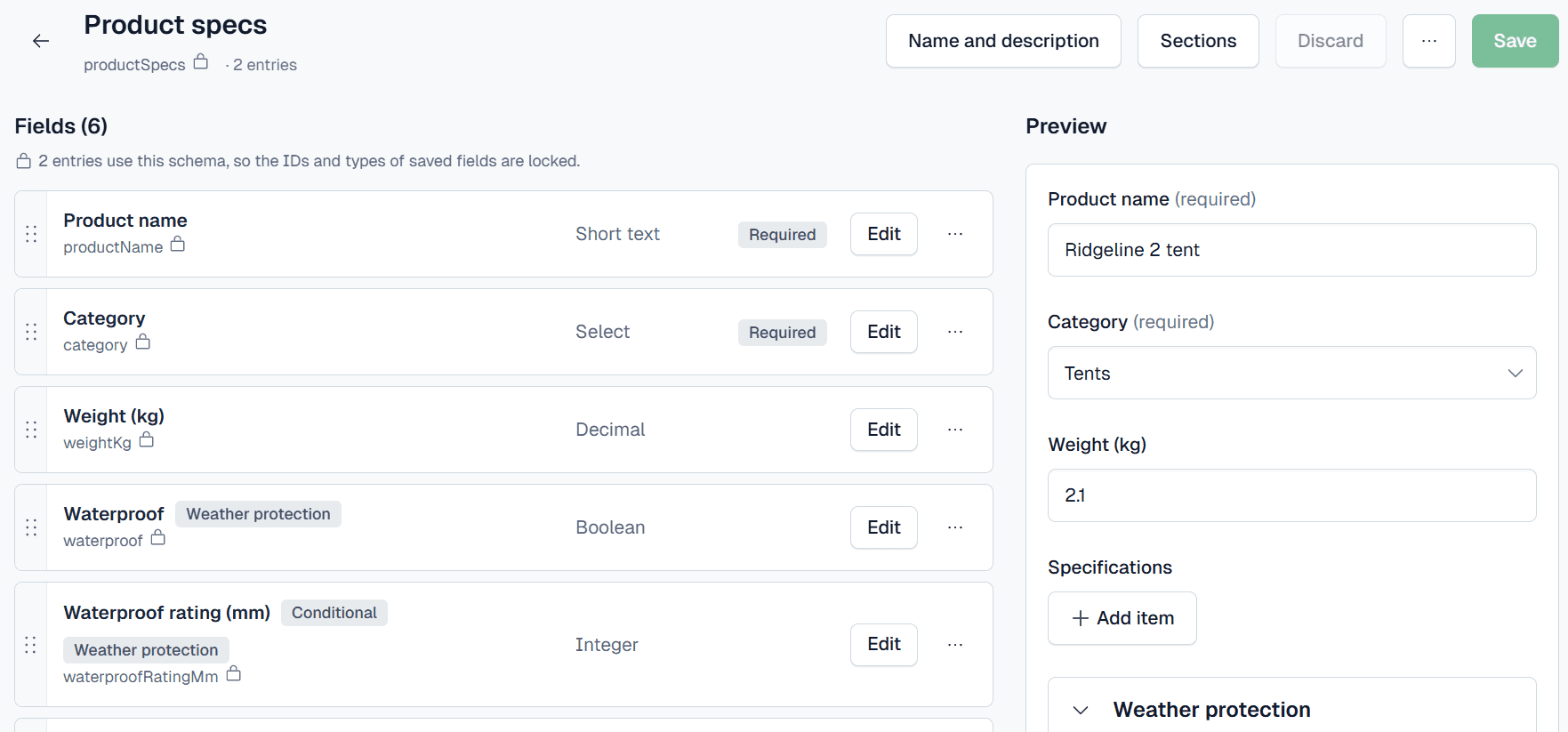
    The schema editor for Product specs: six fields with their types and lock icons on the left, and a live preview filled in for the Ridgeline 2 tent on the right.
  • Contentful app v0.1.1

    Form Builder

    Build forms in Contentful, with validation, conditions and translations, and link them to any page.
    • A builder inside Contentful
    • Reusable blocks and templates
    • Fourteen field types

    DocsRelease notes

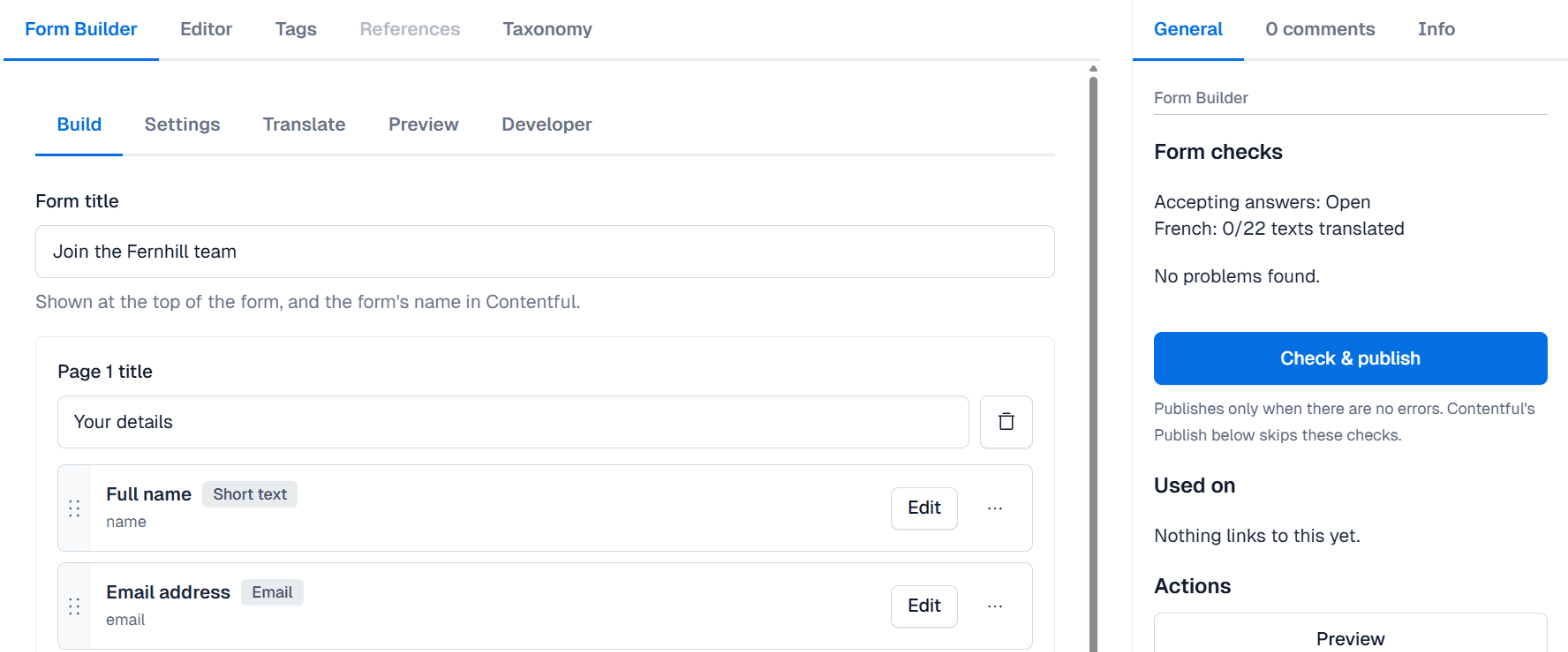
    The Build tab for the Join the Fernhill team form: pages of fields on the left, and the sidebar with form checks, Check & publish and the form's actions.

[ Next step ]

Planning a Contentful Project?

Speak with Geecon Global about your Contentful implementation, migration, integration or support requirements.