
This page is the reference for what Form Builder stores. For reading it in code, see Reading forms.
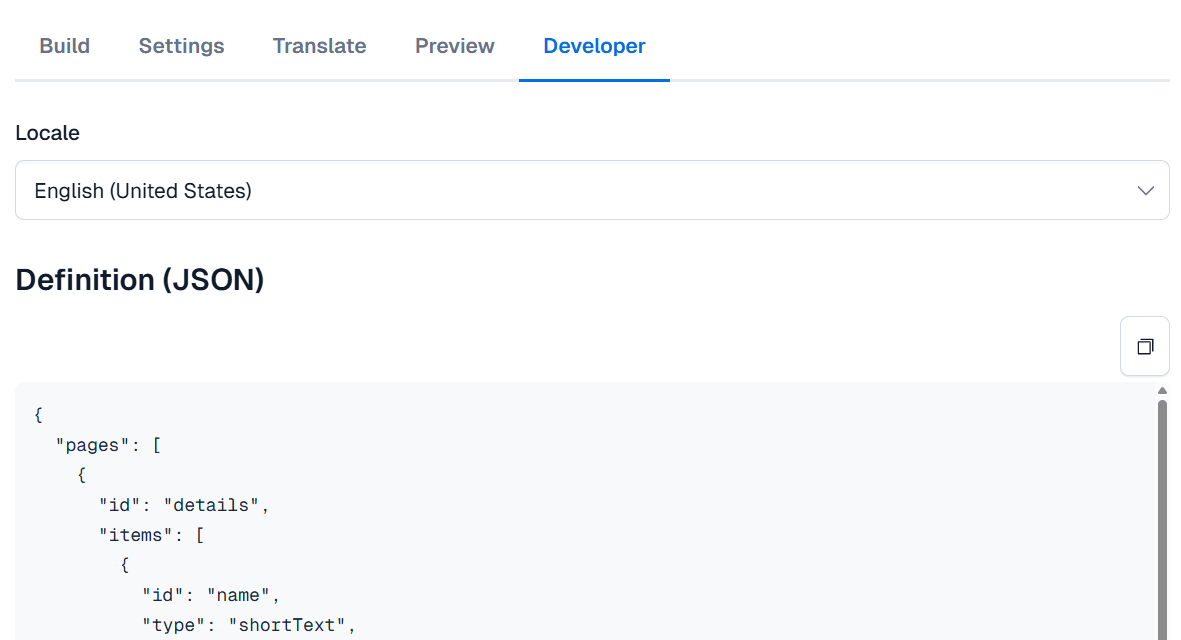
The Developer tab of any form shows its stored definition, a TypeScript type and a JSON Schema.
The content type#
| Field ID | Type | Translated | Holds |
|---|---|---|---|
title | Short text | No | The editor-facing name of the entry |
kind | Short text | No | form, block or template |
definition | JSON object | No | The structure: pages, fields, rules |
texts | JSON object | Yes | Every visitor-facing text for one locale |
linkedEntries | Entry links | No | Maintained by the app: the blocks and after-submit entry the definition refers to |
Contentful returns non-translated fields under the default locale. With locale=* every field is keyed by locale code.
definition#
interface FormDefinition {
  version: 1;
  status: "open" | "closed";
  schedule?: { opensAt?: string; closesAt?: string }; // ISO date-times
  pages: { id: string; items: Item[] }[];
  afterSubmit: { type: "message" } | { type: "url"; url: string } | { type: "entry"; entryId: string };
  customProperties?: Record<string, string>;
  retiredFields?: { id: string; type: FieldType }[];
}

type Item = Field | LayoutItem | { type: "block"; id: string; entryId: string; showWhen?: ShowWhen };

interface Field {
  id: string; // the key of the answer. Locks after the first publish.
  type: FieldType;
  required?: boolean;
  validations?: Validations;
  options?: string[]; // option values for dropdown, radio and checkboxes. Labels are in texts.
  display?: "checkbox" | "switch"; // yesNo only
  prefill?: { source: "url" | "site"; key: string };
  hiddenValue?: string; // hidden fields
  autocomplete?: string; // an HTML autocomplete token, such as "given-name" or "postal-code"
  showWhen?: { field: string; values: (string | boolean)[] };
}

interface LayoutItem {
  id: string;
  type: "heading" | "paragraph" | "divider";
  showWhen?: ShowWhen;
}

type FieldType =
  | "shortText" | "longText" | "email" | "phone" | "number" | "url" | "date" | "time"
| "dropdown" | "radio" | "checkboxes" | "yesNo" | "consent" | "hidden";versionis1. A future change of format would raise it.- A form with
scheduleis open only betweenopensAtandclosesAt.status: "closed"wins over the schedule. retiredFieldslists published fields that were removed. Their IDs can't be reused with another type.- A block entry (
kind: "block") uses the same shape with exactly one page. Onlypages[0].itemsandretiredFieldsmatter. - A template entry (
kind: "template") is a full definition plus texts. autocompleteis unset by default. Render it as the input'sautocompleteattribute. When it's unset, useemail,telandurlfor email, phone and web address fields.- The app keeps keys it doesn't know. An extra key, such as one your own tooling adds, stays when an editor saves.
validations#
| Key | Applies to | Meaning |
|---|---|---|
minLength, maxLength | Short text, Long text | Number of characters |
pattern | Short text | "letters", "numbers", "lettersNumbers" or { "regex": "…" } |
minDigits, maxDigits | Phone | Digits, not counting a leading +. Defaults 10 and 15 |
min, max, wholeNumber | Number | Limits, and whole numbers only |
minDate, maxDate | Date | YYYY-MM-DD or "today" |
minTime, maxTime | Time | HH:mm |
minItems, maxItems | Checkboxes | Number of choices |
texts#
A flat object of keys to strings. Rich text keys hold a Contentful rich text document (bold, italic, lists and links only).
| Key | Holds |
|---|---|
form. | The form's title |
form. | Rich text |
form., form., form. | Button texts |
form. | Rich text, for a closed form |
form. | Explains the * next to required fields |
form., . | The summary shown after a failed submit |
afterSubmit. | Rich text, when afterSubmit. is message |
form. | The form-wide message for a rule. {limit} is a placeholder |
page. | A page title, for multi-page forms |
<fieldId>., ., . | A field's texts |
<fieldId>. | The label of an option |
<fieldId>., <fieldId>. | The two answers of a Yes/No field |
<fieldId>. | A message for one rule of one field |
<itemId>. | A heading's text, or a paragraph's rich text |
The rules are required, minLength, maxLength, pattern, email, phone, url, min, max, wholeNumber, minDate, maxDate, minTime, maxTime, minItems and maxItems.
The default locale holds every text. Other locales hold only the texts that were translated, so merge per key. See Translations.
Developer tab#
In an entry's Developer tab, the app shows the saved definition, the texts merged for a chosen locale, a TypeScript type for the submission, a JSON Schema (draft-07) for the submission and a merge snippet. Fields with a showWhen rule are optional in the type and the schema. Apply the rule before you validate stored data against them.
The JSON Schema applies the same rules as the Preview, with these details:
- A required Yes/No or Consent field must be
true. A required text field needs more than spaces, and required checkboxes need at least one choice. - A phone answer is digits with an optional leading
+, within the field's digit limits (10 to 15 unless set). - A web address must start with
http://orhttps://. - A time is
HH:mm, the value a time input sends. - Fixed earliest and latest dates use
formatMinimumandformatMaximum. Validators such as Ajv need ajv-formats with its keywords turned on to check them; others ignore them. todaylimits and earliest and latest times aren't in the schema. Check them in your own code, as the Preview does.- Leave blank optional answers out of the submission: the schema rejects an empty string for an email or web address.
Things to know#
- If two people edit the same form at once, the last save wins. The app warns you when it keeps your version over a colleague's change; reload to see theirs.
- Data written through Contentful's API bypasses the app. If you write
definitionyourself, follow the shape above and keep field IDs stable. - Contentful doesn't track links inside JSON.
linkedEntriesexists so it can. Don't edit it.