
Form Builder uses Contentful's own locales. Every visitor-facing word of a form (labels, placeholders, help text, option labels, buttons, error messages and rich text) is in the entry's texts field, one object per locale. The structure (field IDs, types, rules) isn't translated, so it's the same in every locale.
The default locale is complete#
You write the form in your space's default locale, in the Build and Settings tabs. New forms copy the default texts from the app configuration into the default locale, so it always has every text.
The Translate tab#
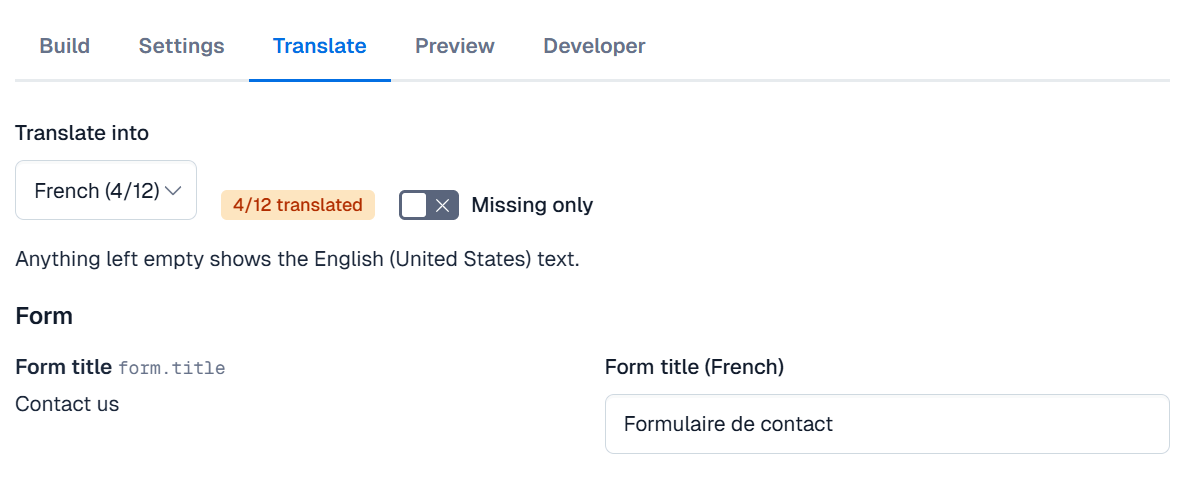
The Translate tab is useful when your space has more than one locale. Choose a locale to see two columns for every text the form uses: the default text and the text for that locale.
- The locale list shows how many texts are translated, such as
French (8/12). - Turn on Missing only to list just the texts that still need translating.
- Leave a text empty to use the default locale's text.
Partial translations#
Contentful's locale fallback works on a whole field. Once someone saves one French text, the French texts object exists, and Contentful no longer falls back for the rest. So Form Builder stores a non-default locale as a partial object, with only the texts that were translated.
Your website therefore merges texts per key. Start with the visitor's locale, fill the gaps from its fallback locales, and finish with the default locale. A French object with one text still shows every other text in the default language. The Developer tab shows a short merge snippet, and Reading forms shows the same in the sample project.
"Missing" in the Translate tab and in the sidebar means a text that the default locale has and the other locale doesn't.
Rich text#
The intro, the closed message, the after-submit message and paragraphs are stored as Contentful rich text. They support bold, italic, lists and links to web addresses. Embedded entries and assets aren't supported.